



 41
41
Antivirus Software
New PCs usually come with a free trial of antivirus. When that trial runs out, you should either pay to continue the subscription or uninstall it and use a free antivirus from Microsoft.
Windows 10/11 has built-in antivirus called Windows Defender. We recommend using this. Windows Defender will activate automatically when you remove any other antivirus programs.
As an added layer of protection, we also recommend an anti-malware program called Malwarebytes for Windows and macOS. It's free if you run the scans manually.
Windows Defender
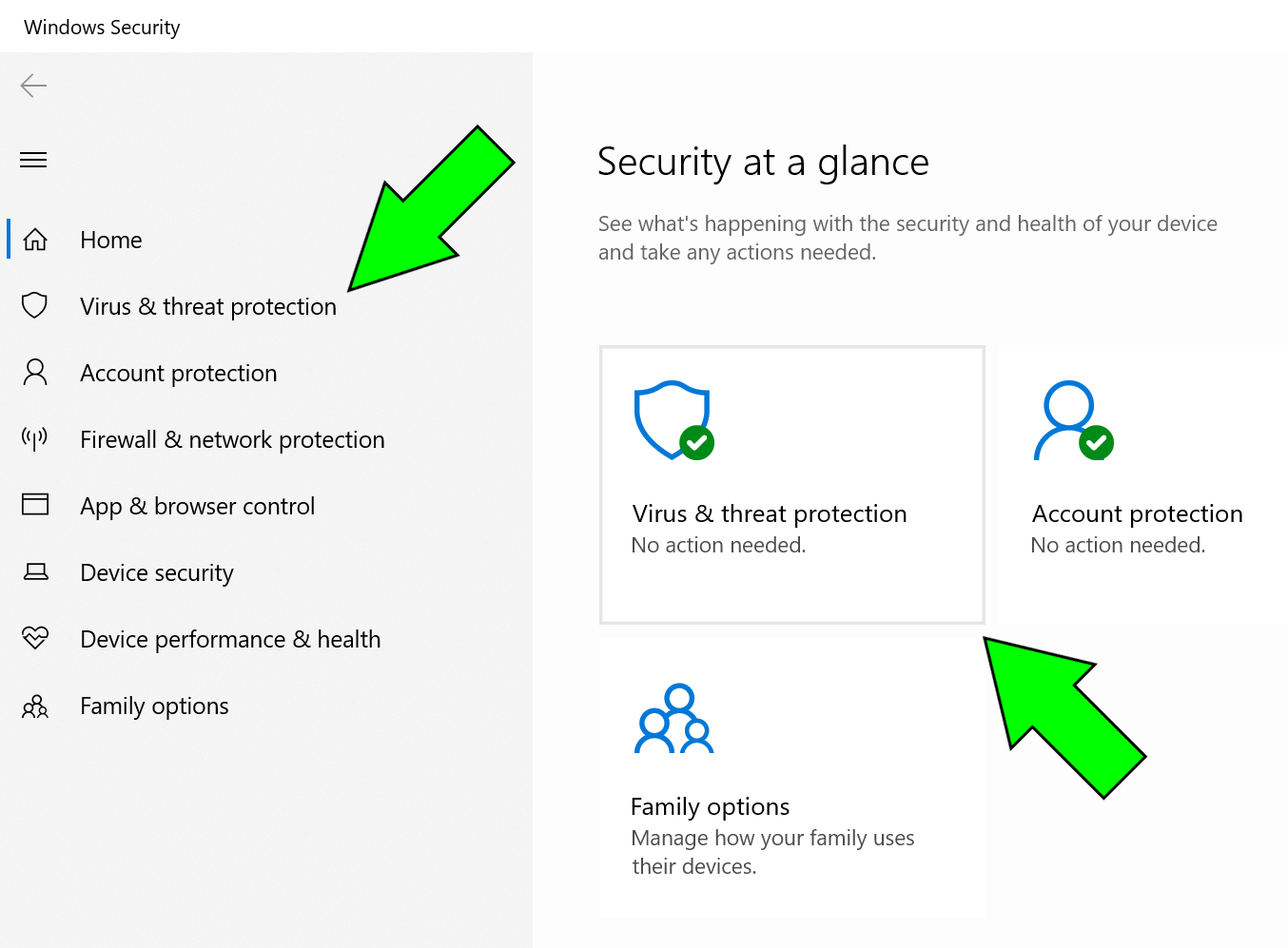
You can check if windows defender is on, but it should turn on by default if you do not have an antivirus software installed on your computer.
1. Click the start menu and type in "Windows Security"
2. Select the Windows Security app
2. Click on the "Virus & threat protection" tile
- Look at the dashboard. If "Real-time protection" and "Cloud-delivered protection" are enabled, it will say "On" and show a green checkmark.
MacBook
MacOS have a built in antivirus called "XProtect". It works silently in the background to automatically detect and block known malware using signature-based scanning. You won't necessarily need an extra layer of protection, but practicing safe browsing and file downloading practices are the best line of defense for any user.
Read here for tips on how to stay safe on the internet when browsing.

