

Dropping the Lowest Scores in a Category

Last updated: Sep 21, 2026
23
views

You can drop a designated number of lowest scores in a Moodle grade category, as long as all items in that category are worth the same number of points.
-
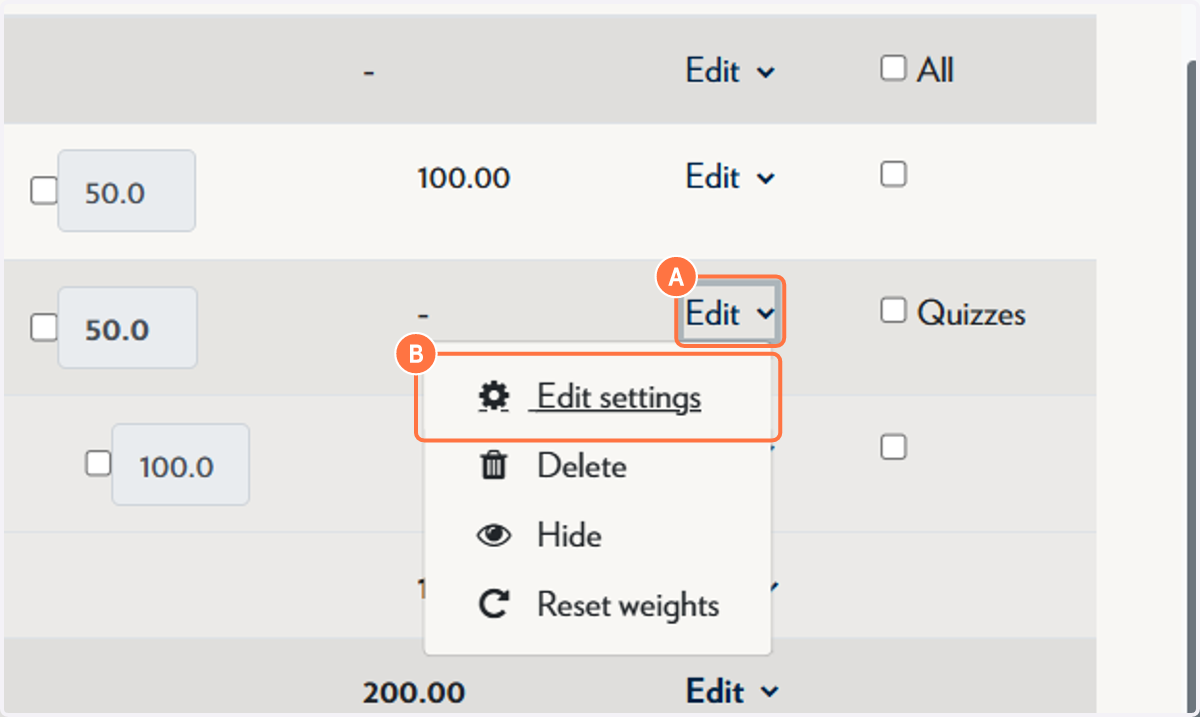
On the applicable category, click Edit, then Edit settings.
-
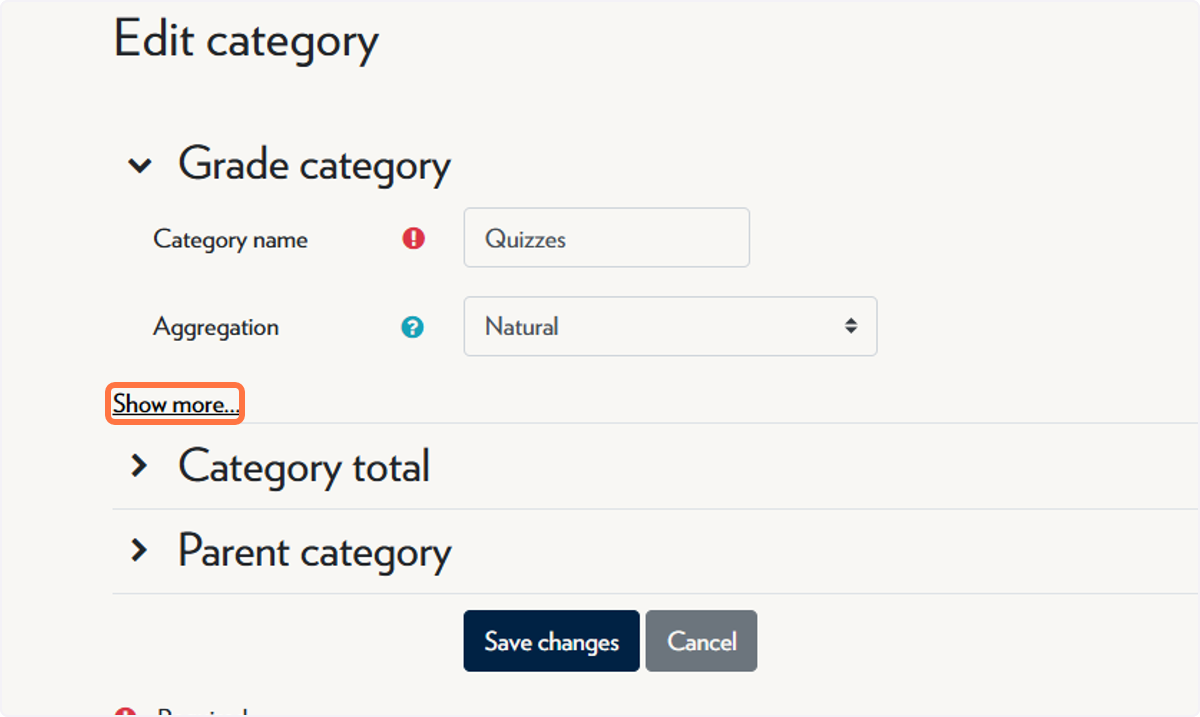
Click on Show more...
-
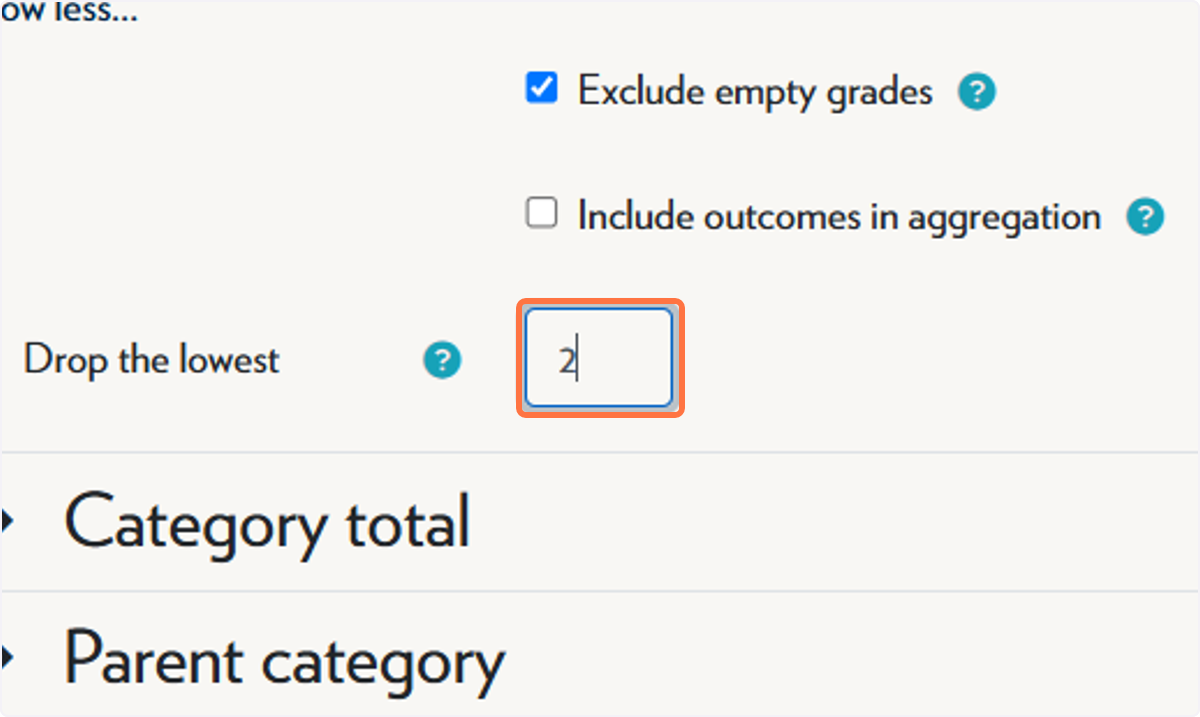
Type the number of scores you'd like to drop.
-
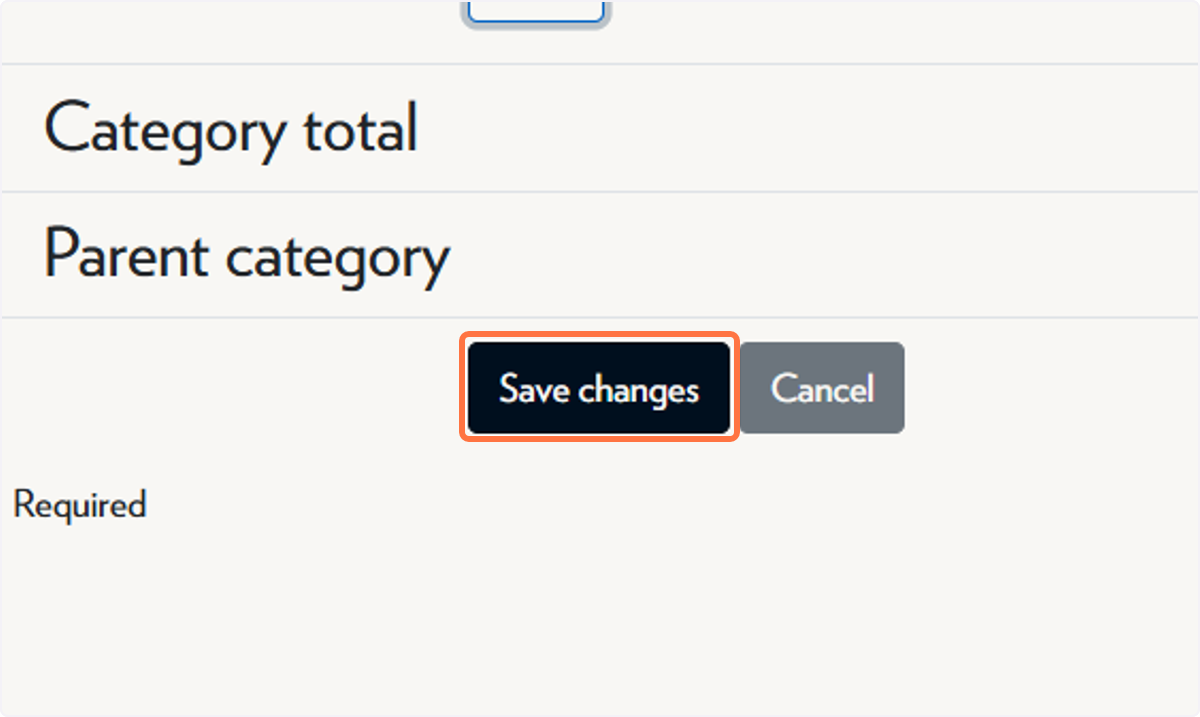
Click on Save changes.
ℹ️ Note: the score for that category will show as 0 until the "drop the lowest" threshold is exceeded, as Moodle will consider the prior attempts as the lowest.

