



 5
5
Problem
Google Chrome on Mac fails to load websites hosted on the Hope College server. Pages hang and eventually time out. This affects sites like:
- courses202601.hope.edu, courses202608.hope.edu (Moodle)
- sso.hope.edu
- math.hope.edu
- Other sites on the same server
Safari on the same machine loads these sites without any issues.
Cause
The macOS Screen Time web content filter, when set to "Limit Adult Websites," routes Chrome HTTPS traffic through a local proxy that cannot complete the TLS handshake with our server. Chrome sends the initial connection request but never gets a response back, causing a 30 second hang followed by a timeout error.
This is an Apple bug. The content filter is only supposed to affect Safari, but it ends up breaking Chrome connections to certain servers.
How to Fix
There are two options depending on whether you need the content filter to stay on. Both start the same.
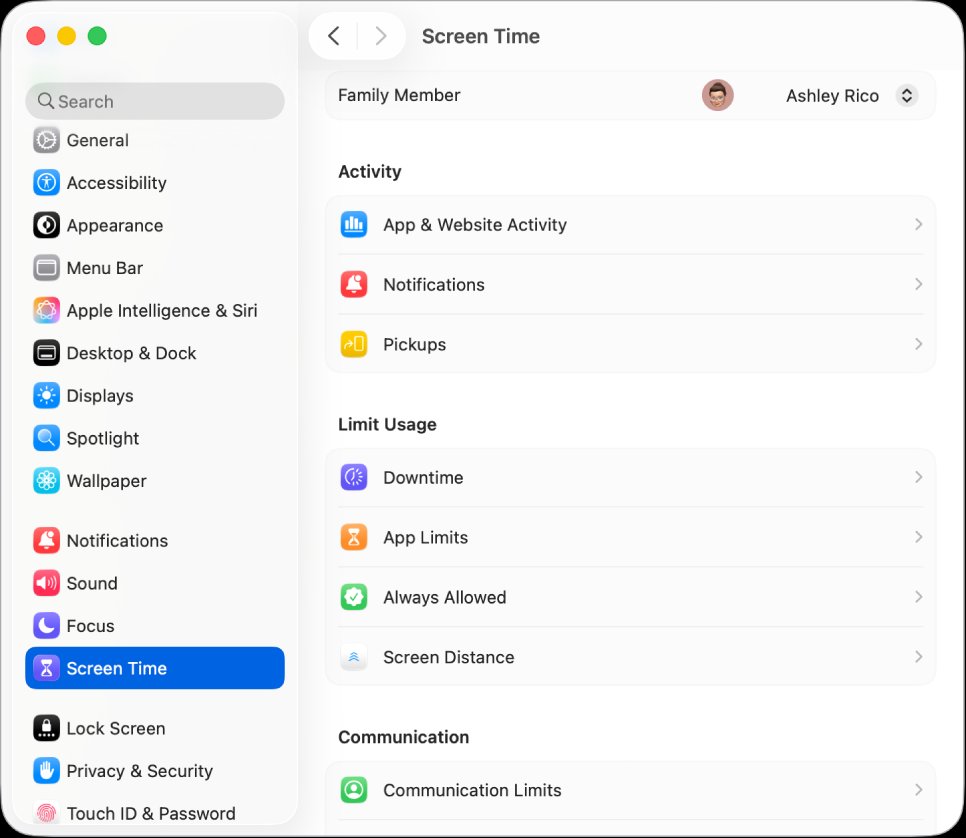
- Open System Settings and go to Screen Time
Option A: Set Web Content to Unrestricted
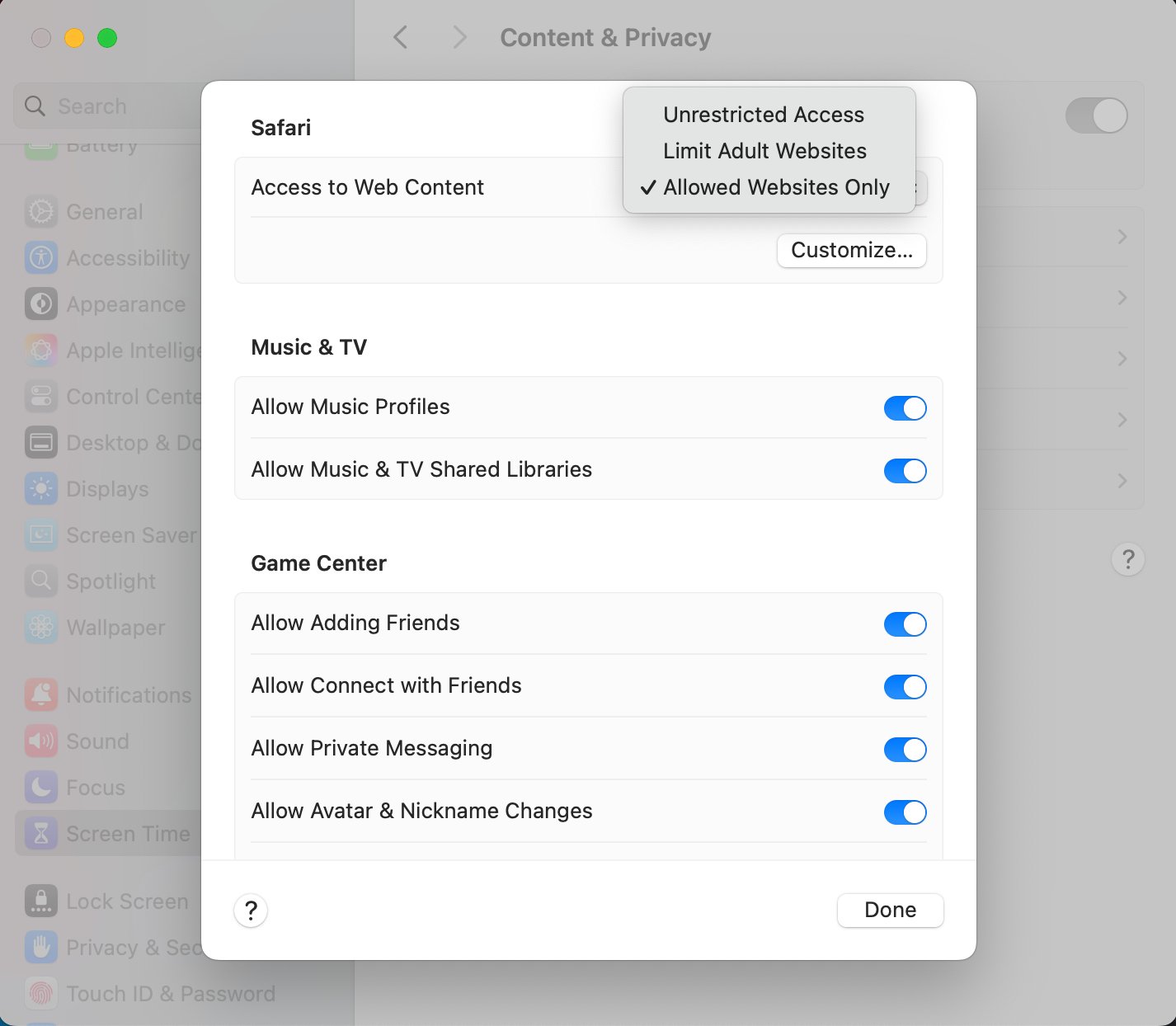
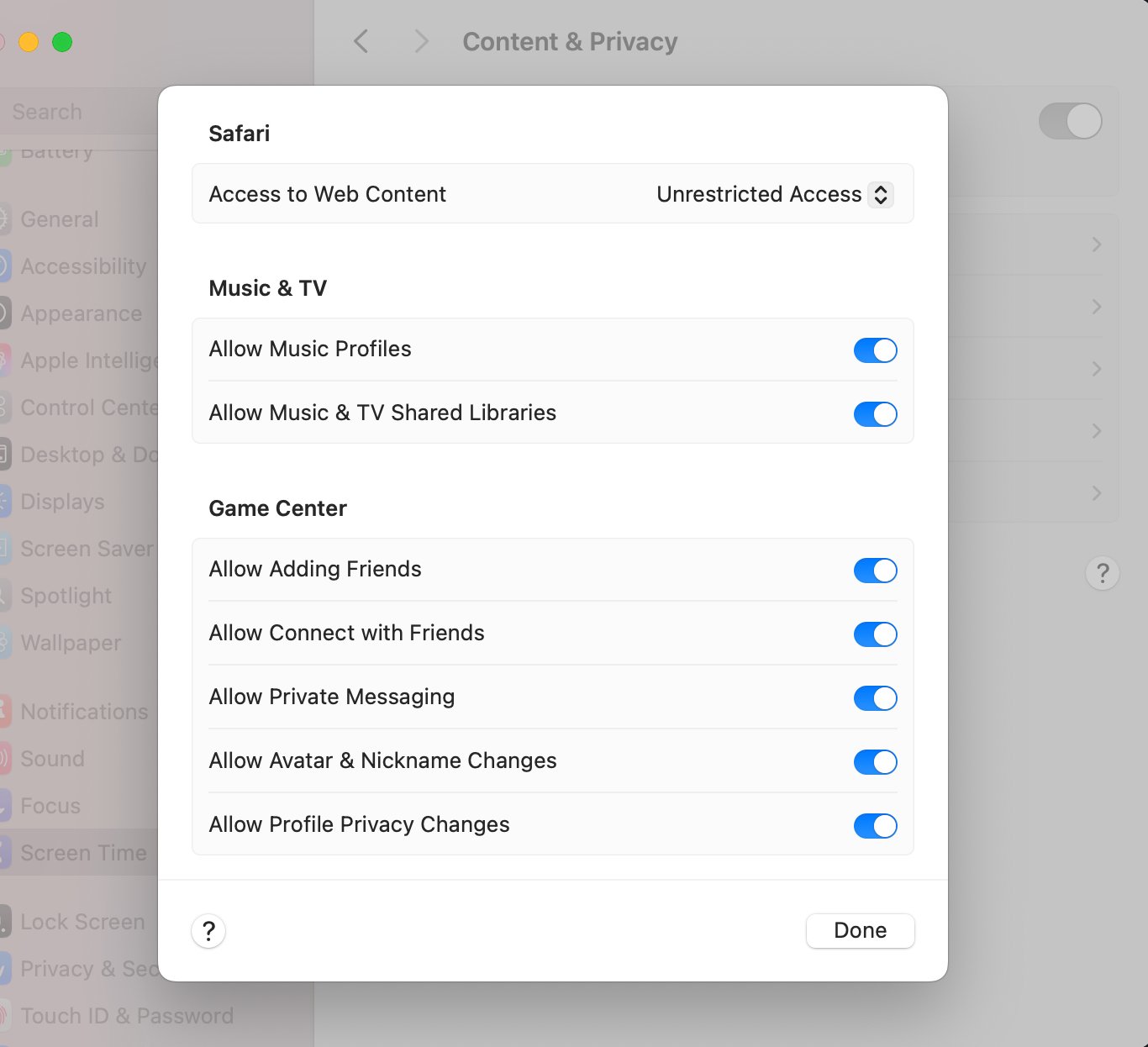
This is the simplest fix. Change the Access to Web Content dropdown to Unrestricted Access and click Done.
Option B: Add Hope College domains to the Allowed list
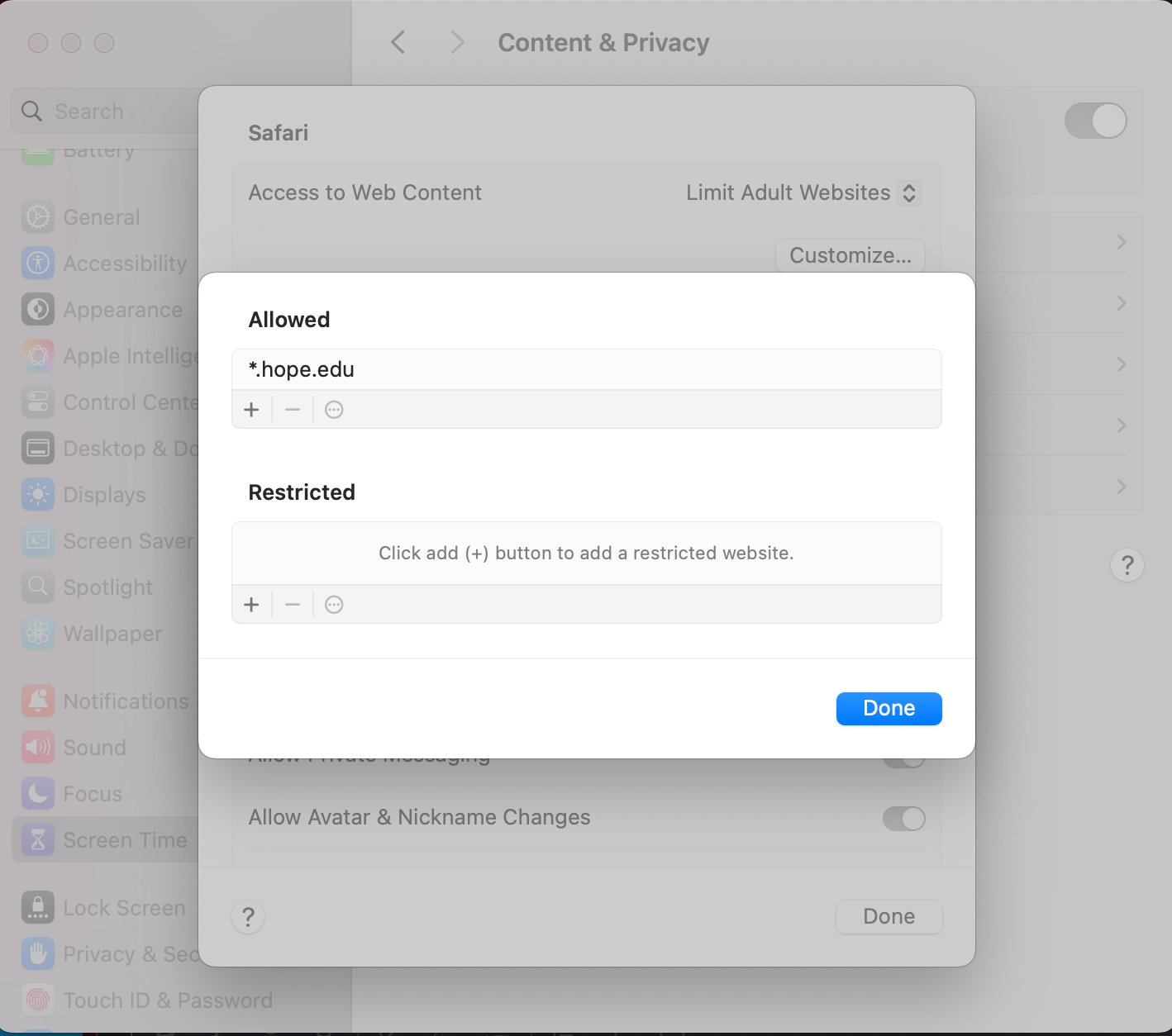
If you need to keep the Limit Adult Websites filter on, click Customize and add *.hope.edu to the Allowed list. Click the + button under Allowed, type the URL, and click Done.
Note: You may need to quit and reopen Chrome after making this change for it to take effect.

