
You are using an unsupported browser. Please update your browser to the latest version on or before July 31, 2020.
close
You are viewing the article in preview mode. It is not live at the moment.
Home > General Information > Recording Your Name in NameCoach
Recording Your Name in NameCoach
print icon

Help your professors and classmates pronounce your name!

1. In Fall 2026 Moodle, click on "Help everyone in your courses pronounce your name correctly by recording it with NameCoach"
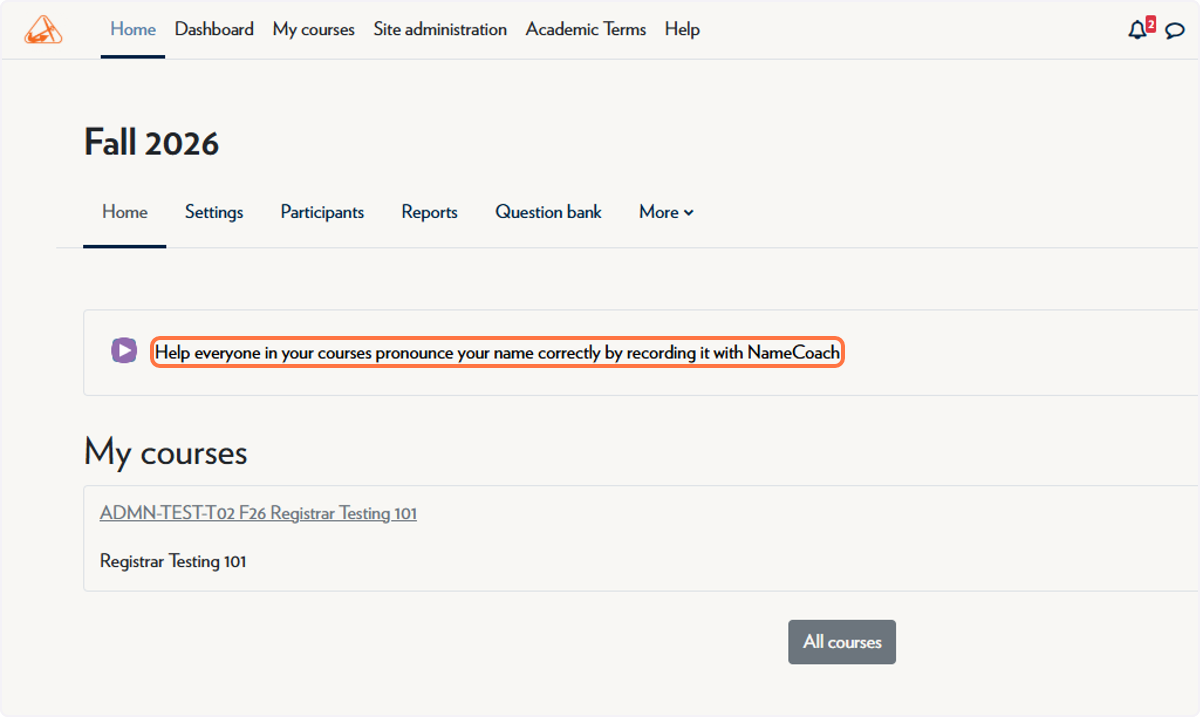
In Fall 2026 Moodle, click on "Help everyone in your courses pronounce your name correctly by recording it with NameCoach"

2. Click on Record Name
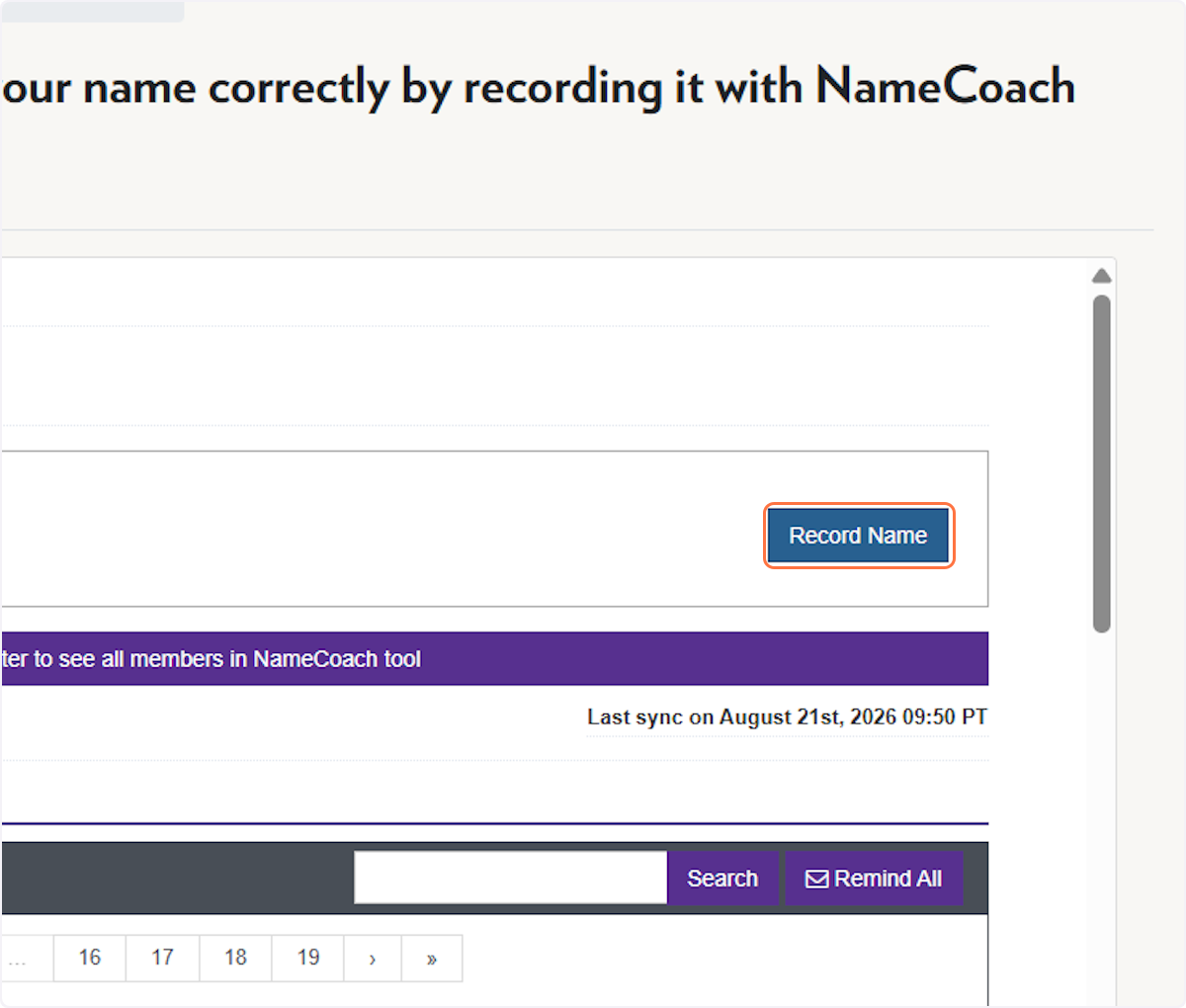
Click on Record Name

3. Enter the Phonetic Spelling of your name
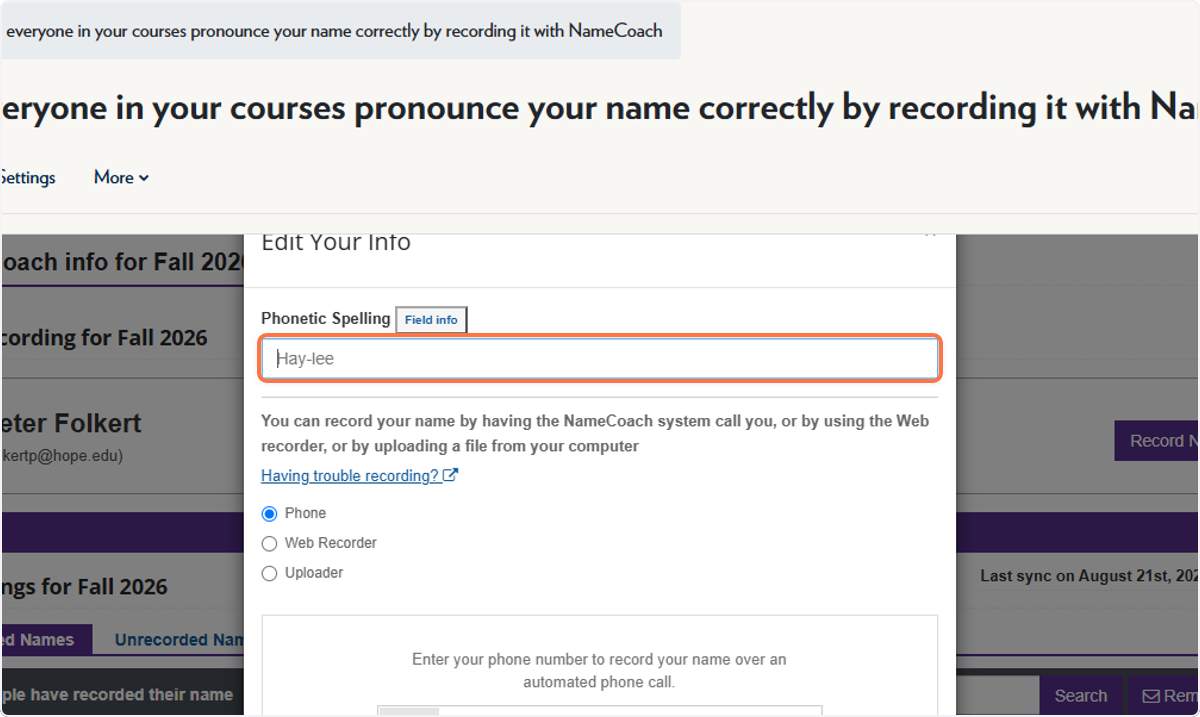
Enter the Phonetic Spelling of your name

4. Select your method of recording
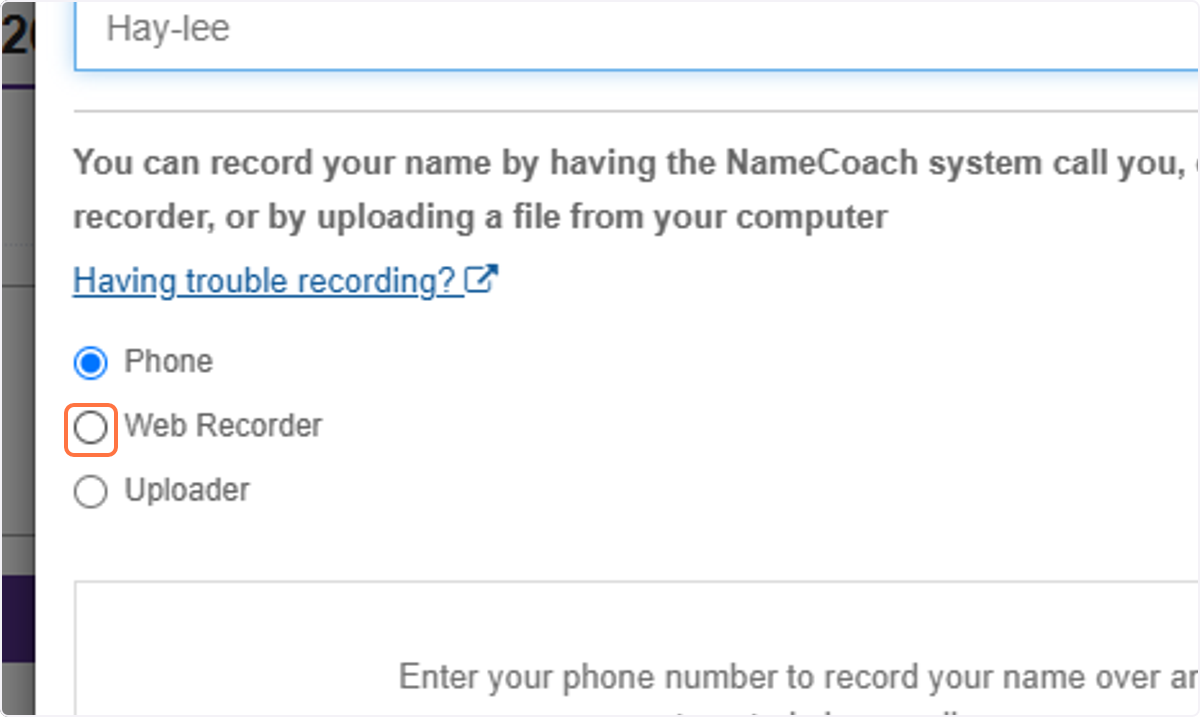
Select your method of recording

5. After recording, click on Submit
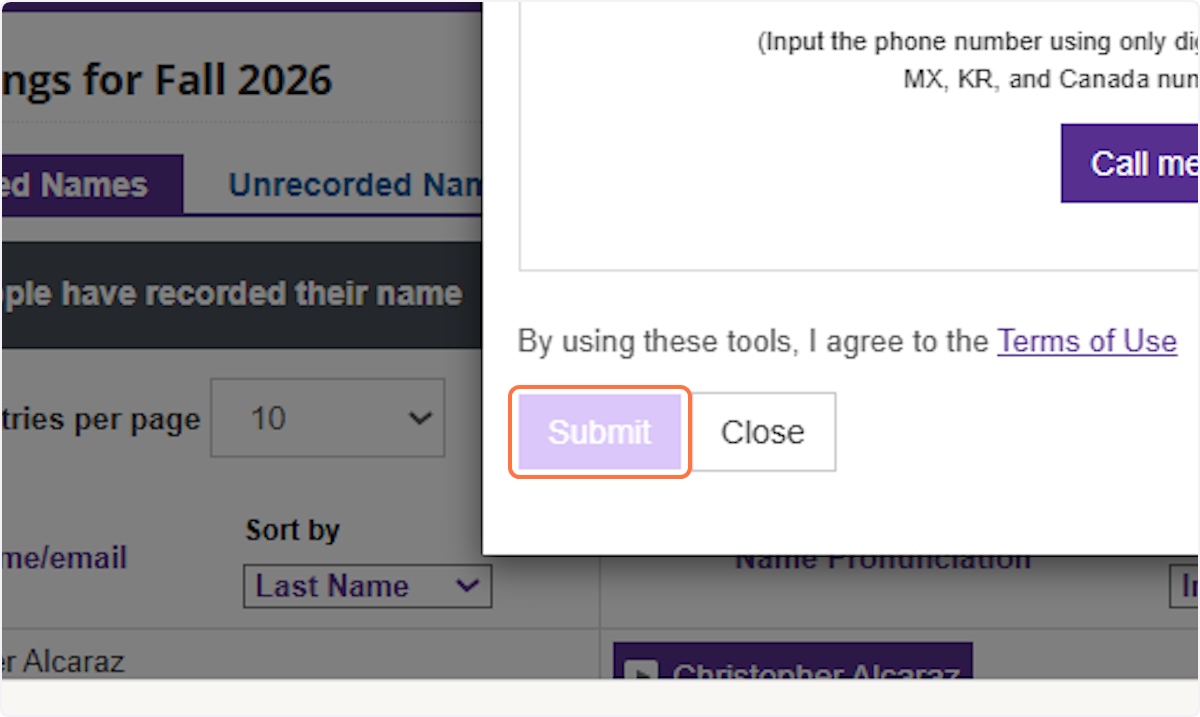
After recording, click on Submit

Feedback
0 out of 0 found this helpful

scroll to top icon