Setting Your Google Recovery Email

Jul 17, 2026
 2
2
CIT recommends maintaining up-to-date recovery information to ensure you never lose access to your Hope College Google account.
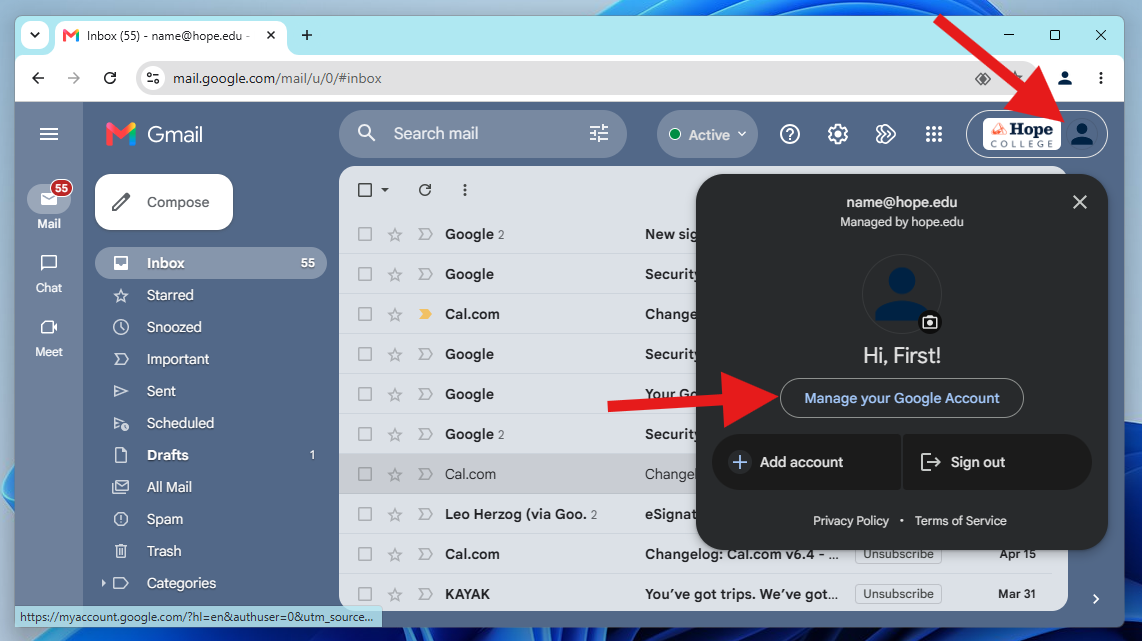
- Go to your Google Account settings (myaccount.google.com).
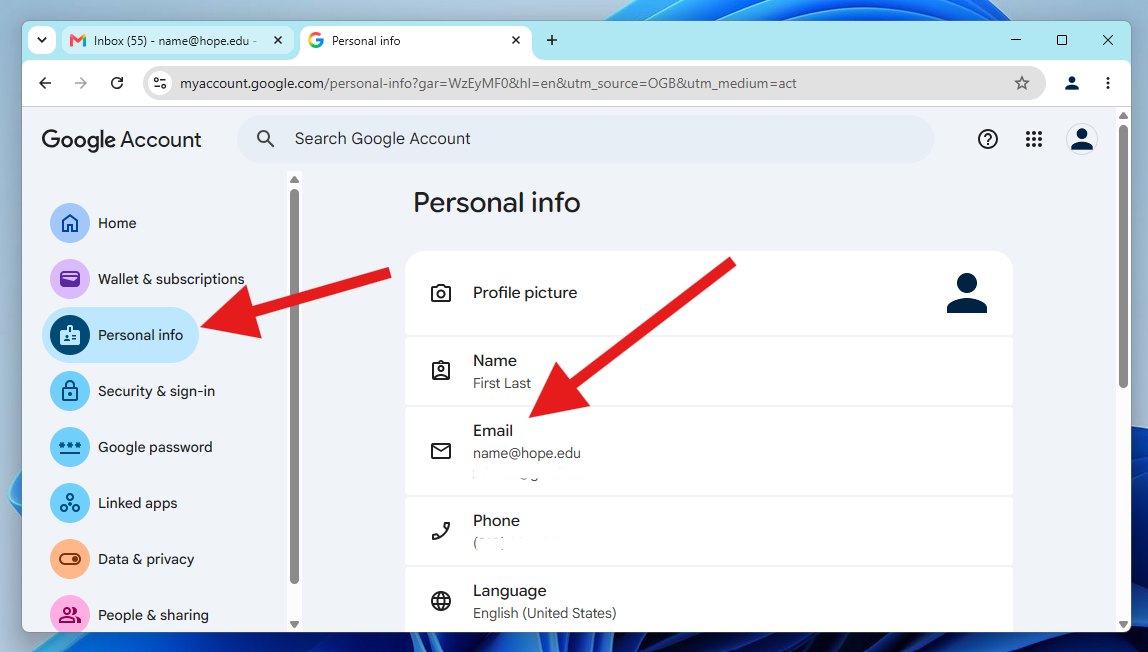
2. On the left navigation panel, click Personal Info.
3. Click on Email.
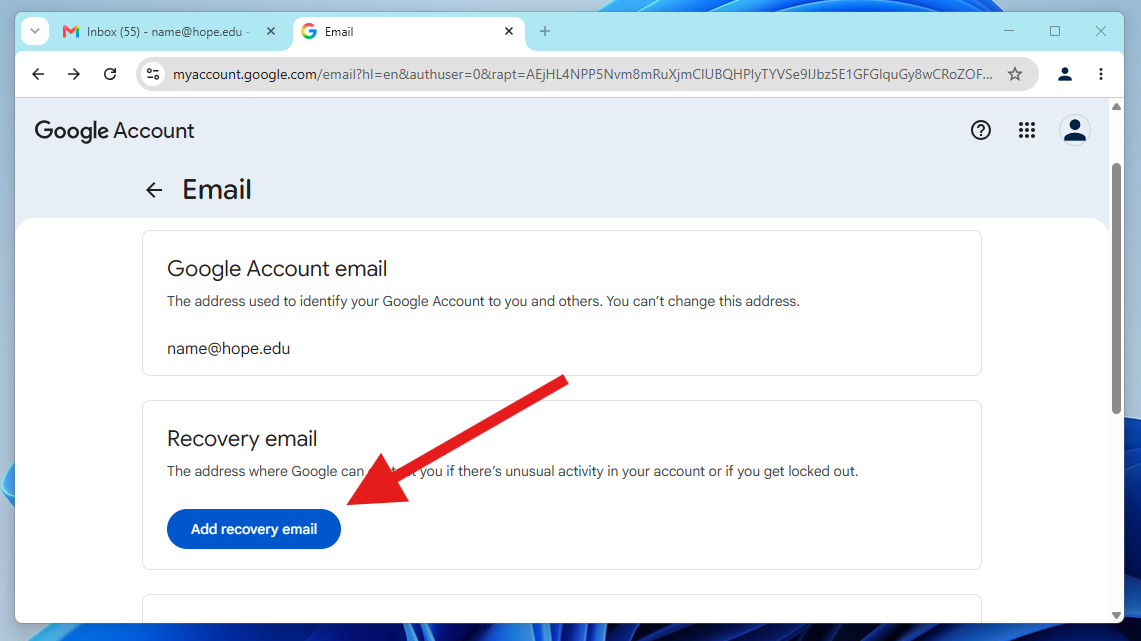
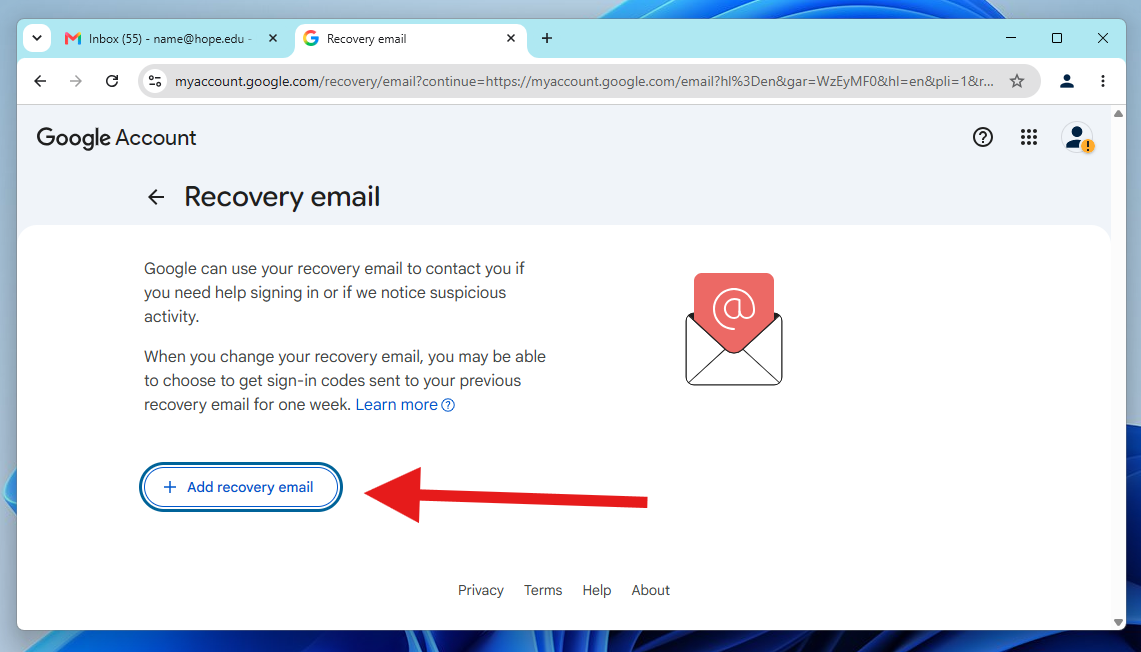
4. Click on Add recovery email. Enter your personal (non-Hope) email address.
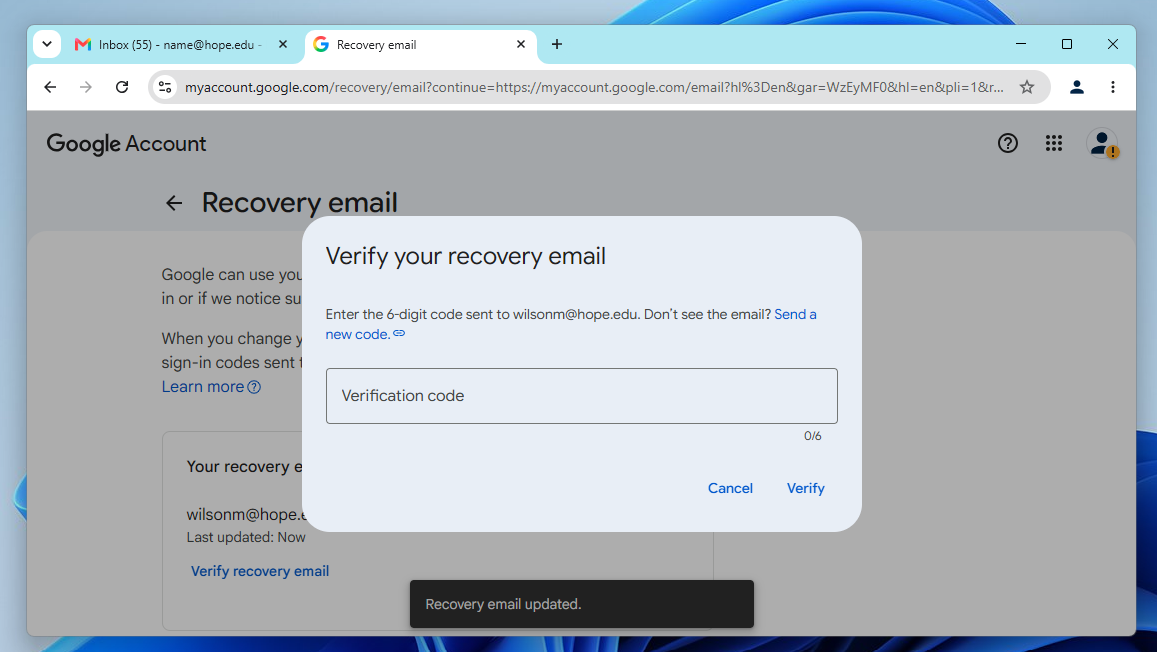
5. Follow the prompts to verify the address via a confirmation code.